> ## Documentation Index
> Fetch the complete documentation index at: https://docs.runalloy.com/llms.txt
> Use this file to discover all available pages before exploring further.
# Custom API Calls
This feature only applies to Embedded iPaaS. This is a legacy feature and we highly suggest you use Custom Connector instead.
## Overview
Embedded iPaaS supports nearly [400](https://runalloy.com/apps) (and counting) connectors. Unfortunately, we don't have *everything*. As such, situations arise that may require you to API calls beyond the connectors we support natively.
## How it Works
To get started with the Custom API connector, add it to your workflow as seen below. The Custom API connector requires you configure the following:
* **URL**: The place to send the HTTP request
* **Request Method**: The type of method you are making (i.e. GET, POST, etc)
* **Headers**: Any request headers you'd like to provide
* **Body**: Any body data to send along
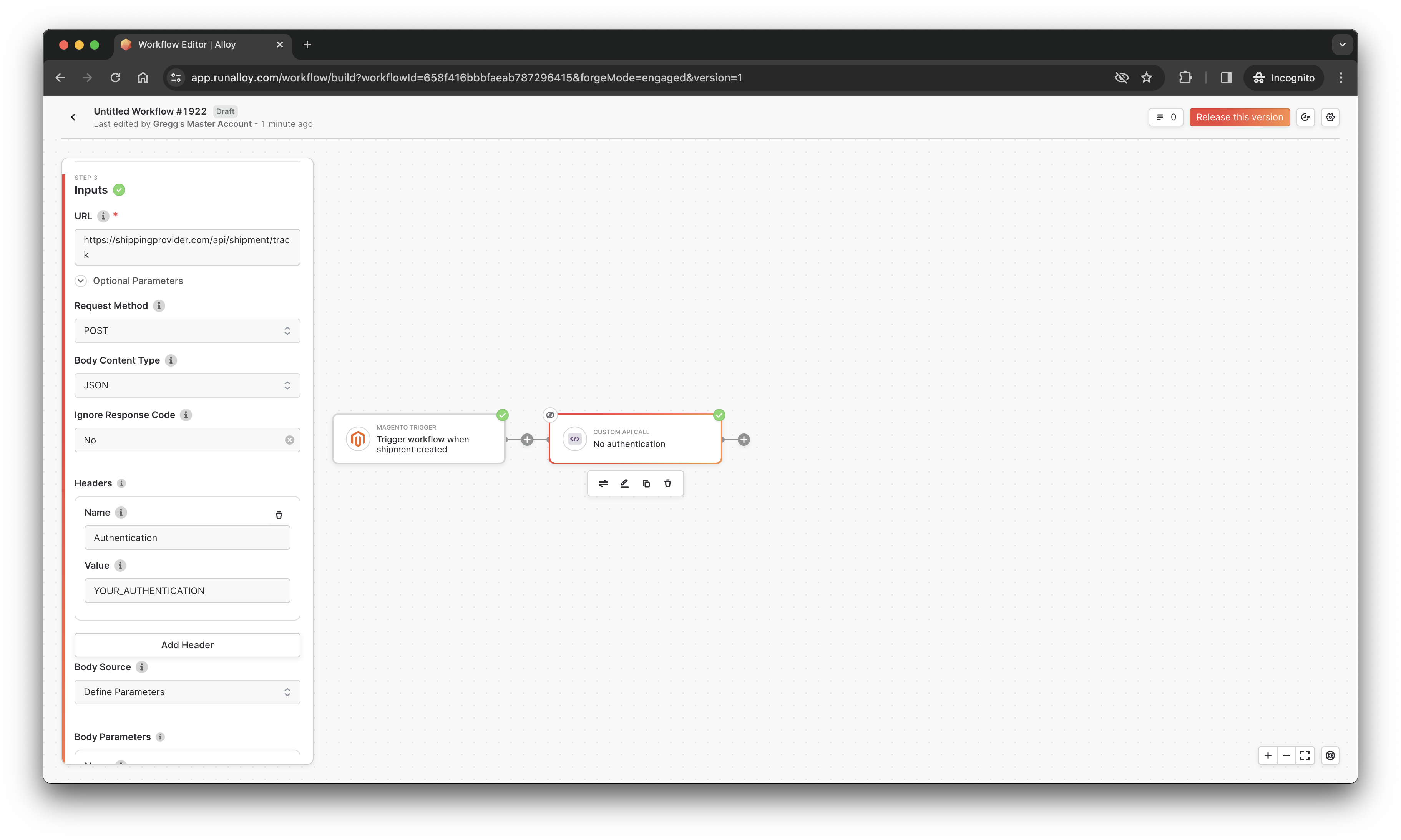
You can easily configure the Custom API block authentication (we support basic auth, header auth, and no auth). Use the [Variable Selector ](/embedded/variable-selector) to map fields accordingly.
## Alloy X-Headers
Whenever you make a request using the Custom API block, Alloy Embedded attachs the following headers:
| Parameter | Description |
| :---------------------- | :------------------------------------------------------------------------------------------------------- |
| `X-Alloy-WorkflowId` | The `workflowId` of the workflow where this request originated from |
| `X-Alloy-UserId` | The current `userId` the workflow is being invoked for |
| `X-Alloy-BlockName` | The starting event block that triggered the workflow |
| `X-Alloy-BlockType` | The starting event block type (i.e. Shopify) that triggered the workflow |
| `X-Alloy-ExecutionUuid` | The unique identifier for the current execution. Useful if you want to rerun an execution after the fact |
## Wrapping Up
In this article, we took a look at how to use the Custom API block to make HTTP requests.