> ## Documentation Index
> Fetch the complete documentation index at: https://docs.runalloy.com/llms.txt
> Use this file to discover all available pages before exploring further.
# Integration Structure
## Overview
In this article, we'll explore how to create our first integration in Alloy Embedded. For our example, we'll build a **Shopify** Integration, but you can swap out Shopify for another [supported app](http://runalloy.com/apps).
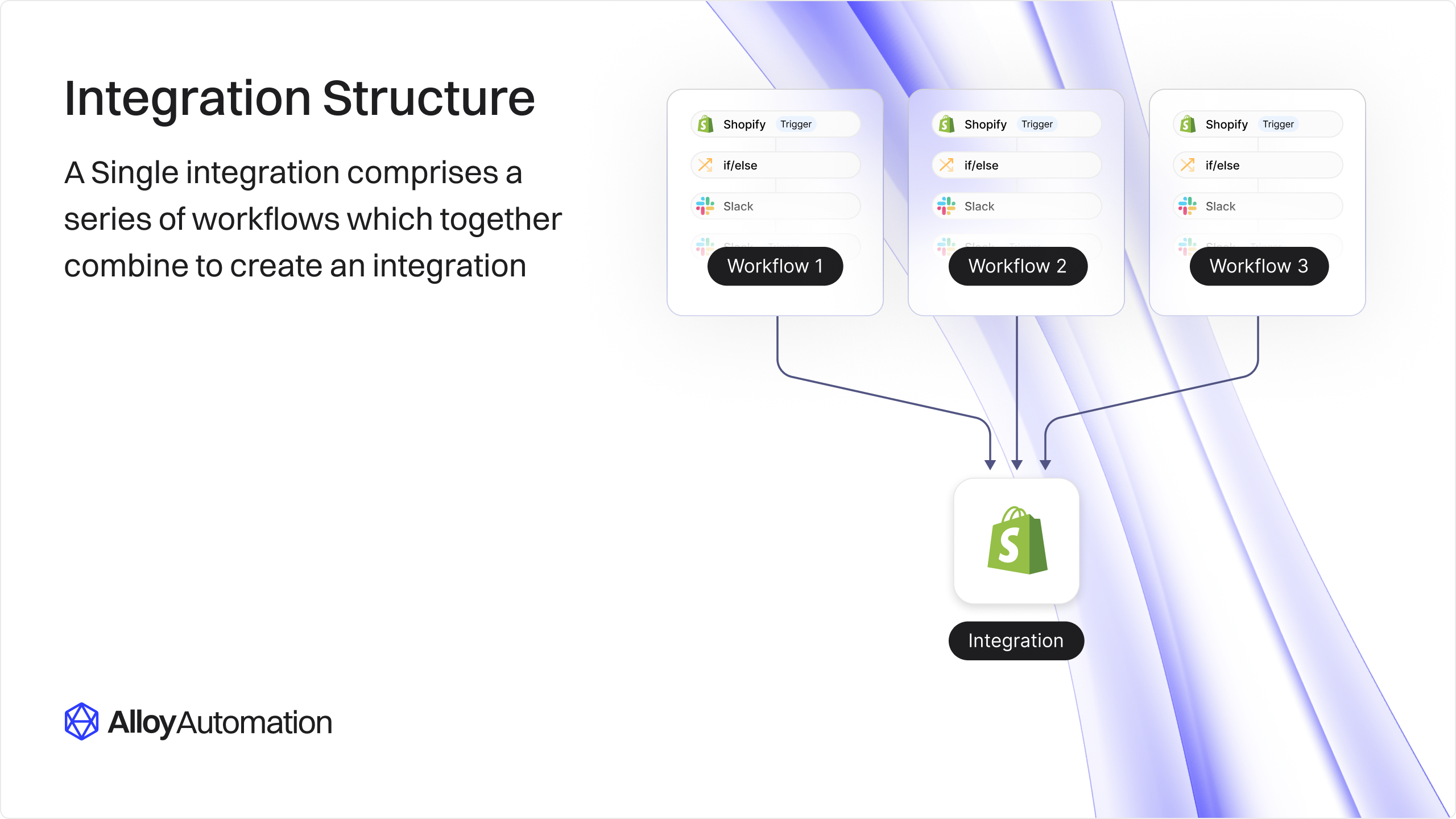
Recall from the [terminology](/embedded/terminology) section that integrations are made up of individual workflows centered around a single app (i.e. Shopify). When combined, a series of workflows constitutes an integration.
The graphic below illustrates this relationship.
 ## What is an Integration?
An integration is a combination of workflows centered around a Third Party App. For example, you could build a Shopify integration that has two workflows:
* Workflow #1 is triggered whenever an end user places an order in your platform and then creates an order record in Shopify.
* Workflow #2 listens for new order creations in Shopify and streams them to your data warehouse
## Breaking it Down
The below illustration details the flow of data within these two workflows.
## What is an Integration?
An integration is a combination of workflows centered around a Third Party App. For example, you could build a Shopify integration that has two workflows:
* Workflow #1 is triggered whenever an end user places an order in your platform and then creates an order record in Shopify.
* Workflow #2 listens for new order creations in Shopify and streams them to your data warehouse
## Breaking it Down
The below illustration details the flow of data within these two workflows.
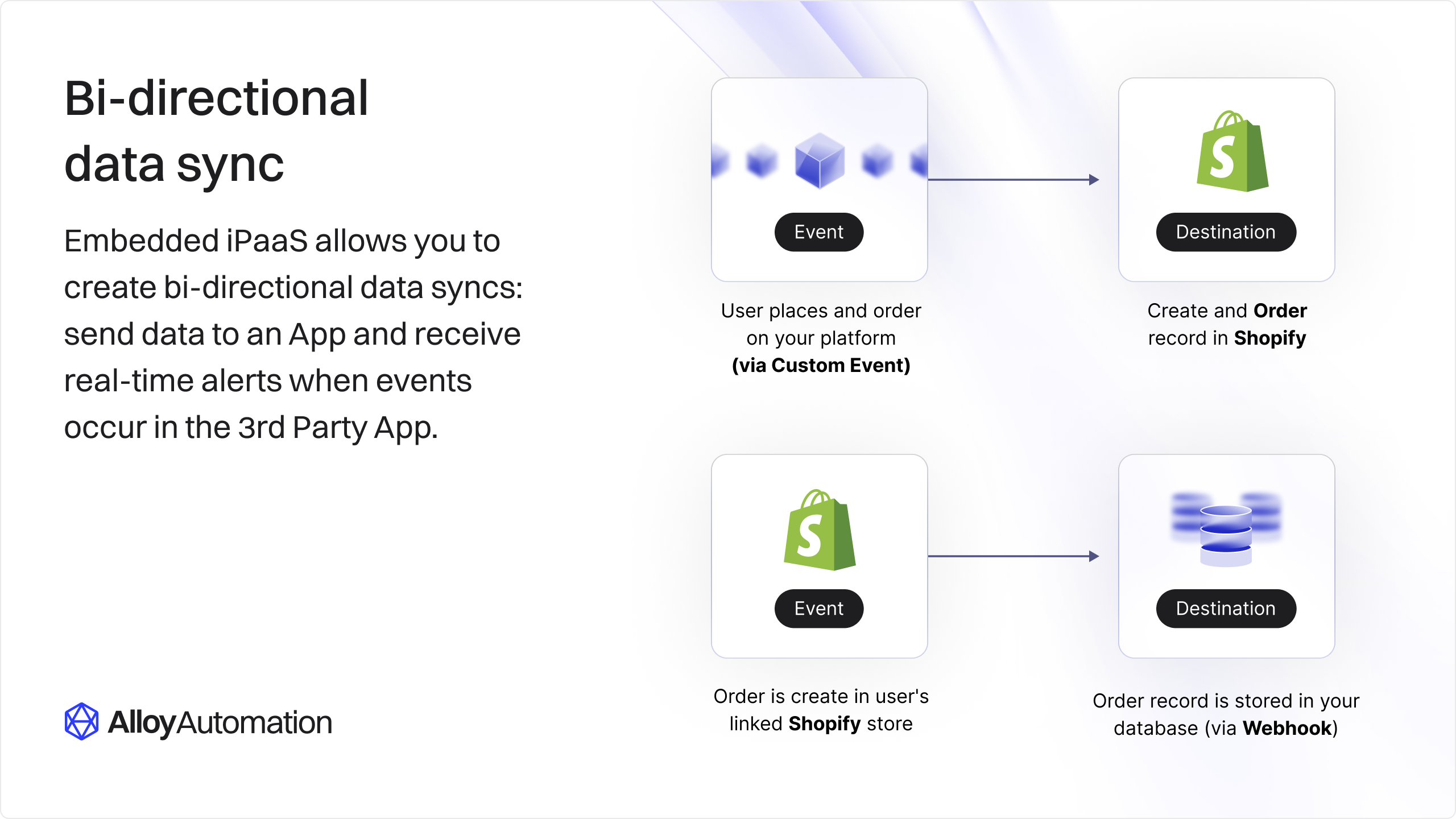 This integration sends data to your server and also receives data from your application:
* In Workflow #1, your application is the *Event* and Shopify is the *Destination*.
* In Workflow #2, Shopify is the *Event* and your application is the *Destination*.
We assume you're [streaming data](/connectors/utility/data-streaming) to your application via the Data Stream block.
This flow works in many scenarios but you might not always want to ingest data in your server. In many instances, it makes more sense to send incoming data directly to a data warehouse (such as Snowflake, BigQuery, etc). The below illustration shows how you could configure such a flow.
This integration sends data to your server and also receives data from your application:
* In Workflow #1, your application is the *Event* and Shopify is the *Destination*.
* In Workflow #2, Shopify is the *Event* and your application is the *Destination*.
We assume you're [streaming data](/connectors/utility/data-streaming) to your application via the Data Stream block.
This flow works in many scenarios but you might not always want to ingest data in your server. In many instances, it makes more sense to send incoming data directly to a data warehouse (such as Snowflake, BigQuery, etc). The below illustration shows how you could configure such a flow.
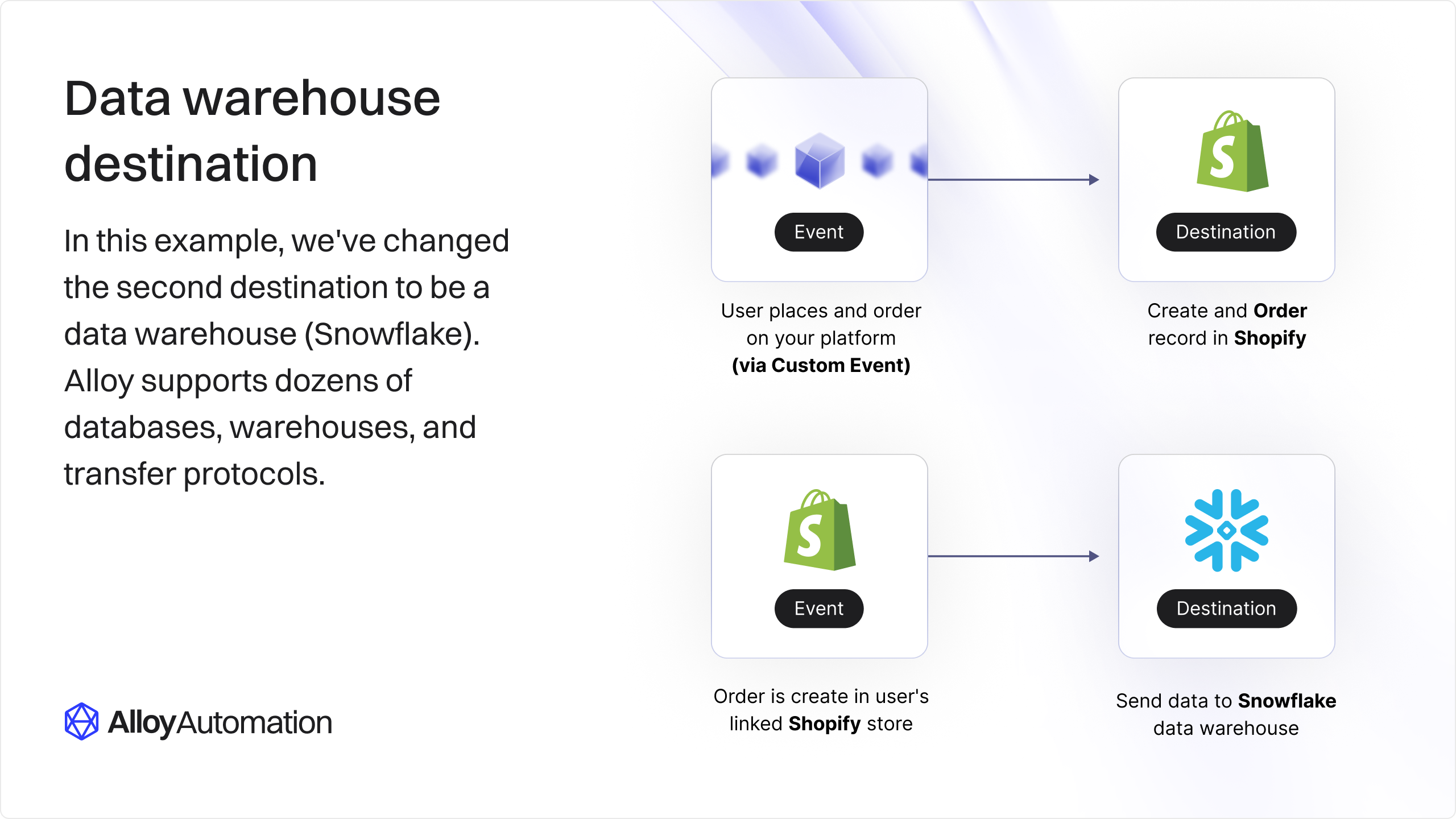 Being able to send outgoing data to a Third Party App and also receive events from the same app is known as a **bi-directional data sync**.
For more information about how to stream data to a destination, [see this article](/connectors/utility/data-streaming#streaming-data-to-a-warehouse).
## Wrapping Up
In this tutorial, we learned how to build an integration. Integrations are a collection of workflows that send outgoing data to a Third Party App and can also listen in for incoming data.
We call this two way flow a bi-direction data sync. With Alloy Embedded, you can build powerful integrations in minutes.
Being able to send outgoing data to a Third Party App and also receive events from the same app is known as a **bi-directional data sync**.
For more information about how to stream data to a destination, [see this article](/connectors/utility/data-streaming#streaming-data-to-a-warehouse).
## Wrapping Up
In this tutorial, we learned how to build an integration. Integrations are a collection of workflows that send outgoing data to a Third Party App and can also listen in for incoming data.
We call this two way flow a bi-direction data sync. With Alloy Embedded, you can build powerful integrations in minutes.