> ## Documentation Index
> Fetch the complete documentation index at: https://docs.runalloy.com/llms.txt
> Use this file to discover all available pages before exploring further.
# Iterate
> The Iterate connector loops through a list or array of data items, allowing subsequent steps to execute once per element.
This feature only applies to Embedded iPaaS
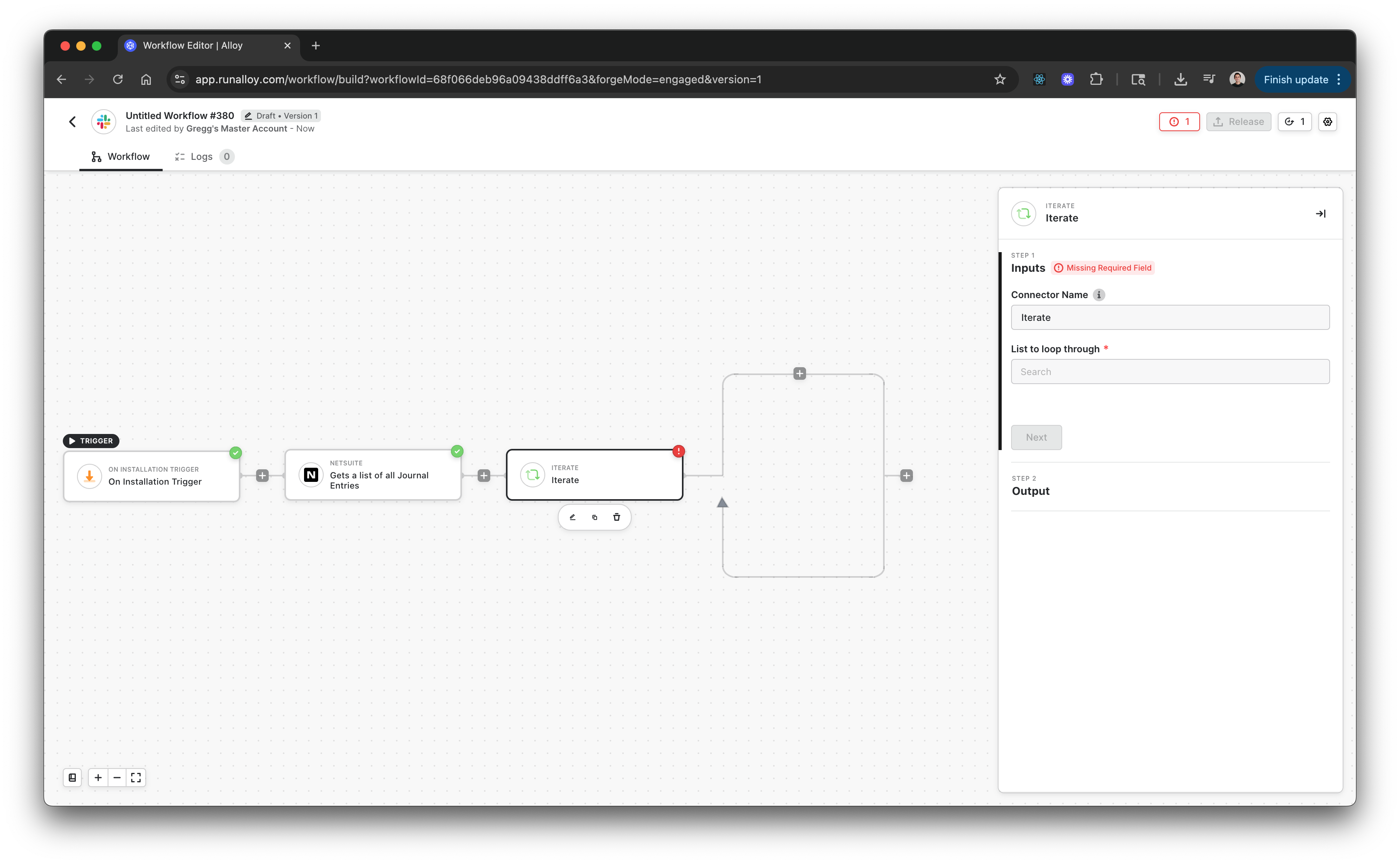
The Iterate connector executes a set of actions repeatedly for each item in a list. It’s commonly used when working with APIs or datasets that return arrays, such as a list of transactions, records, or files. Each iteration receives the current item as input, making it possible to apply conditional checks, transformations, or downstream actions to each element.
***
### Example: Accounting Workflow
Suppose your workflow pulls a list of journal entries from an accounting system. You can use Iterate to process each entry individually:
1. Use Iterate to loop through the array of journal entries.
2. Within each iteration, add an If-Else step to check whether the entry amount exceeds 10,000.
3. If true, send the entry to an approval process.
4. Otherwise, post the entry directly to a general ledger API.
This pattern ensures fine-grained control and visibility into how each record is handled.
***
### How It Works
1. Drag the Iterate connector into your workflow.
2. In the **List to loop through** field, select the previous step or connector output containing your array.
3. Configure the downstream actions that should run for each item.
4. Click Next → Done to save.
Each run of the workflow will process all items in the list sequentially. Data from each item becomes available to subsequent steps within the iteration’s scope.
***
### Stop Trigger
When you need to stop looping once a certain condition is met, use the **Stop Trigger** connector under Logic.
For example, if you’re iterating through a list of customers and want to stop when a matching `customerId` is found, add a Stop Trigger step inside the Iterate block. This is especially useful when working with APIs that don’t support filtering at the request level.