> ## Documentation Index
> Fetch the complete documentation index at: https://docs.runalloy.com/llms.txt
> Use this file to discover all available pages before exploring further.
# Cash Advance Management
> In this guide, you'll learn how to make data-driven decisions when advancing cash to a business.
 ## Use Case Overview
As a Fintech or Neobank business, you recognize that deciding who to advance credit is never an easy decision. Having access to real-time data can help take the hassle out of the process. Leveraging integrations by Alloy can provide you with a competitive edge by significantly reducing the turnaround time for extending same-day credit to a business.
### Accessing Real-time Balance
You can access a Business' real-time balance in Stripe using Alloy's Stripe connector.
To start, create a workflow using the **On Installation Trigger**.
**Info**
The **On Installation** Trigger tells Alloy to only run this workflow when an end user connects to your app. If you need to run the workflow multiple times, use a **Custom Event** or a Scheduled Trigger to run at specific intervals.
Next, select the connector you are building a workflow for. For this example, we're using an integration with Stripe. Select the *returns stripe account balance* action.
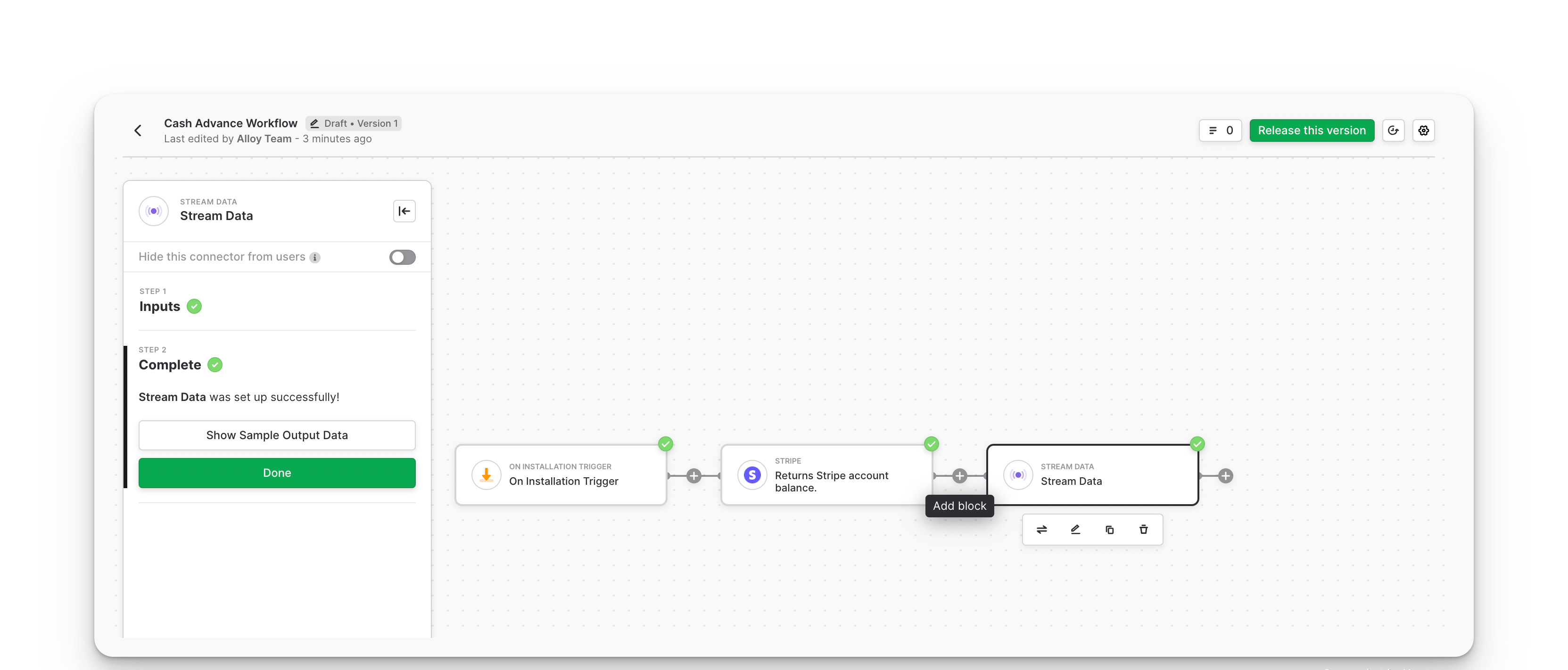
Finally, search for and select the stream data block. This block accepts a Webhook URL for your server. Alloy sends the stripe balance data obtained when a merchant connects to your app to this Webhook URL.
Your workflow should look like the above.
### Transactions
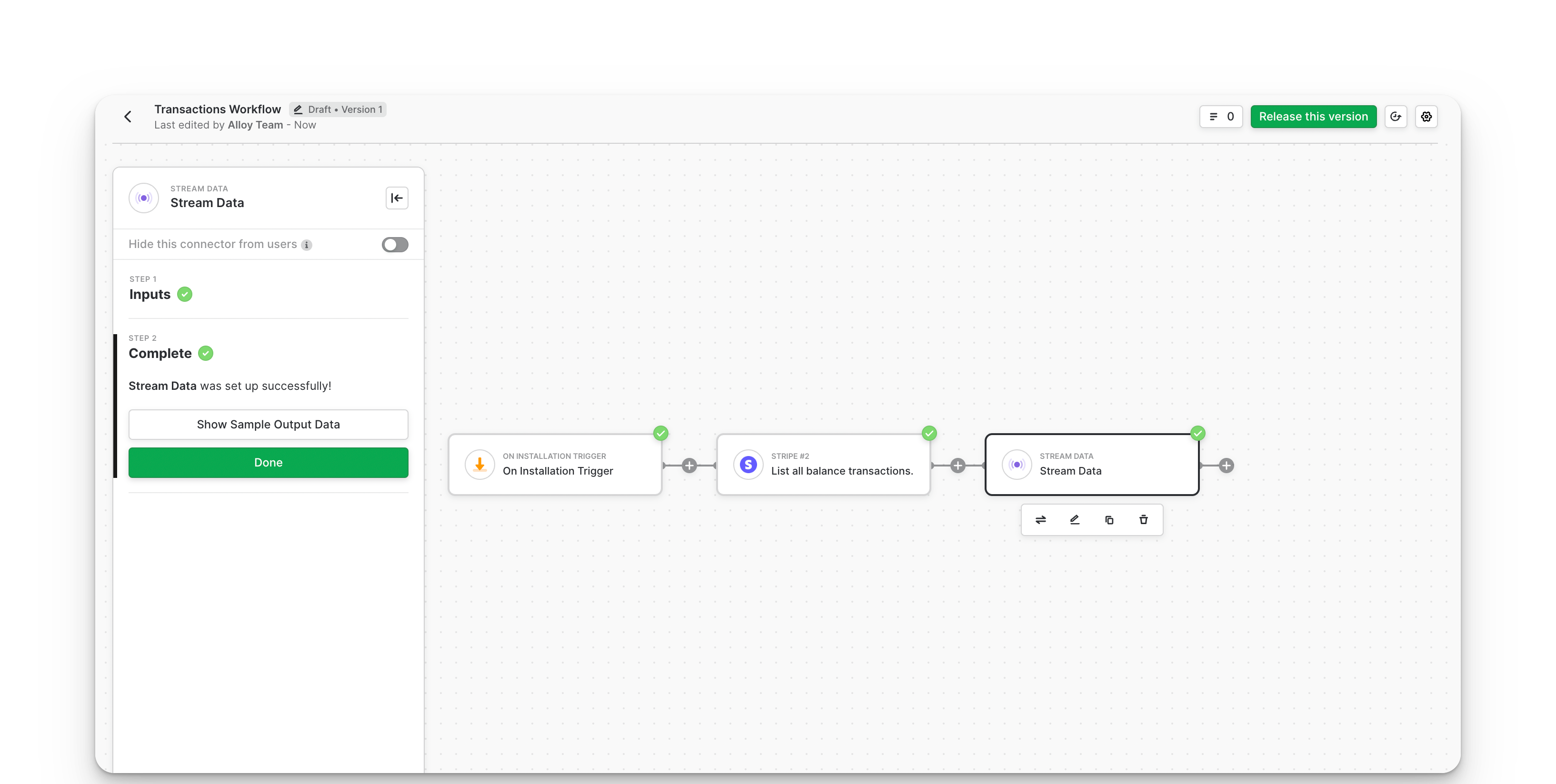
To help enrich your data for better decision-making, you can also analyze a business' transaction data. A simple workflow for seeing a business' transactions in Stripe can look like this:
## Wrapping Up
Alloy provides integrations with payment systems like Stripe, Square, and Recharge, enabling you to utilize merchant data from these platforms to make informed cash advance decisions.
## Use Case Overview
As a Fintech or Neobank business, you recognize that deciding who to advance credit is never an easy decision. Having access to real-time data can help take the hassle out of the process. Leveraging integrations by Alloy can provide you with a competitive edge by significantly reducing the turnaround time for extending same-day credit to a business.
### Accessing Real-time Balance
You can access a Business' real-time balance in Stripe using Alloy's Stripe connector.
To start, create a workflow using the **On Installation Trigger**.
**Info**
The **On Installation** Trigger tells Alloy to only run this workflow when an end user connects to your app. If you need to run the workflow multiple times, use a **Custom Event** or a Scheduled Trigger to run at specific intervals.
Next, select the connector you are building a workflow for. For this example, we're using an integration with Stripe. Select the *returns stripe account balance* action.

Finally, search for and select the stream data block. This block accepts a Webhook URL for your server. Alloy sends the stripe balance data obtained when a merchant connects to your app to this Webhook URL.
Your workflow should look like the above.
### Transactions
To help enrich your data for better decision-making, you can also analyze a business' transaction data. A simple workflow for seeing a business' transactions in Stripe can look like this:

## Wrapping Up
Alloy provides integrations with payment systems like Stripe, Square, and Recharge, enabling you to utilize merchant data from these platforms to make informed cash advance decisions.