

Example Use Cases
- Get notified when a new order exceeds a limit
- Notify customers when their order has been refunded
- Enroll your customers in a newsletter upon account creation (Klaviyo)
Add Your Commerce.js Account to Alloy
Read the instructions below to get set up, or watch the following video to learn how Alloy’s Commerce.js integration worksSetup Instructions
1
In your dashboard, create a new workflow from scratch
2
Select the Commerce.js trigger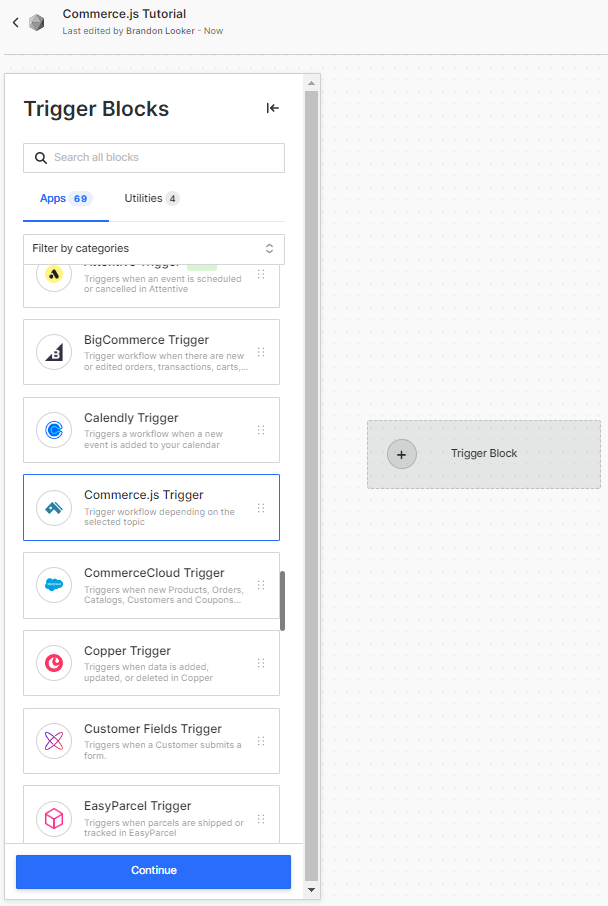
3
Enter your API Key. To find your API Key, simply click on the “Get Your Credentials” button within the Commerce.js trigger.
Once you are in your Commerce.js account, click on Add and then create your new API Key.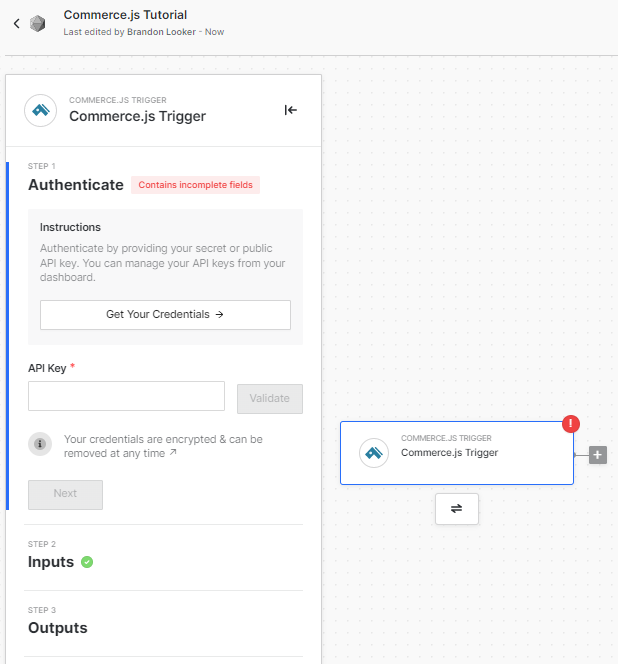
Once you are in your Commerce.js account, click on Add and then create your new API Key.
4
Choose an event to trigger the workflow. For example, if you choose Order Created, the workflow will run every time an order is created in your Commerce.js store.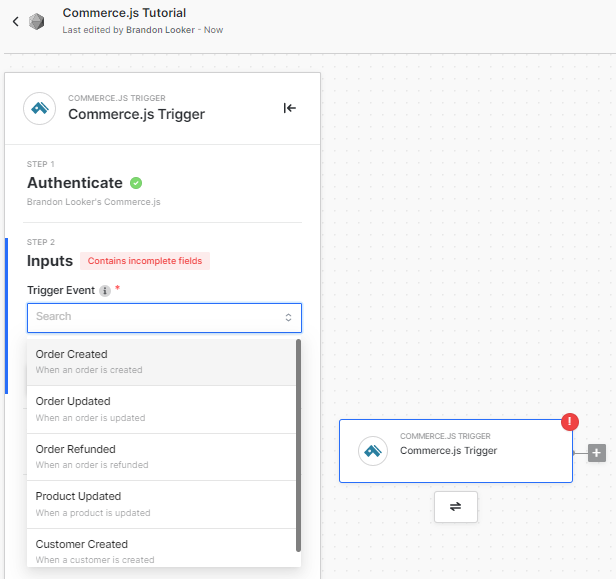
5
You can now continue building the rest of your workflow! Select additional logic or action blocks to automate work across other apps.