

Example Use Cases
- Dynamic Restock - When inventory threshold for an item falls below X amount, automatically create a request to supplier for restock
- Create/Update Product Catalog & Pricing from Spreadsheet - New updates from spreadsheet are populated into Magento as updates to existing products or new products
- Orders to OMS / ERP - Sync new orders to OMS and ERP
- Customers to CRM - Sync customer updates to CRM
- Orders to CRM - Add a customer’s new orders and order comments to CRM entry
- Recover Abandoned Carts With Coupons - Create and email coupons to customers with abandoned carts
- Product Category Customer Segmentation - Segment customers into email campaigns depending on their order history and what types of product categories they’ve purchased in
- Delayed Shipment Handling - For delayed shipments, text customers with updates
Connect to Alloy
1
In Alloy, create a new workflow
2
Select any app as a trigger for your workflow. Set up the app.
3
Choose Magento as the second block in your workflow by clicking on the + icon next to the trigger
4
Choose any action, such as Create Order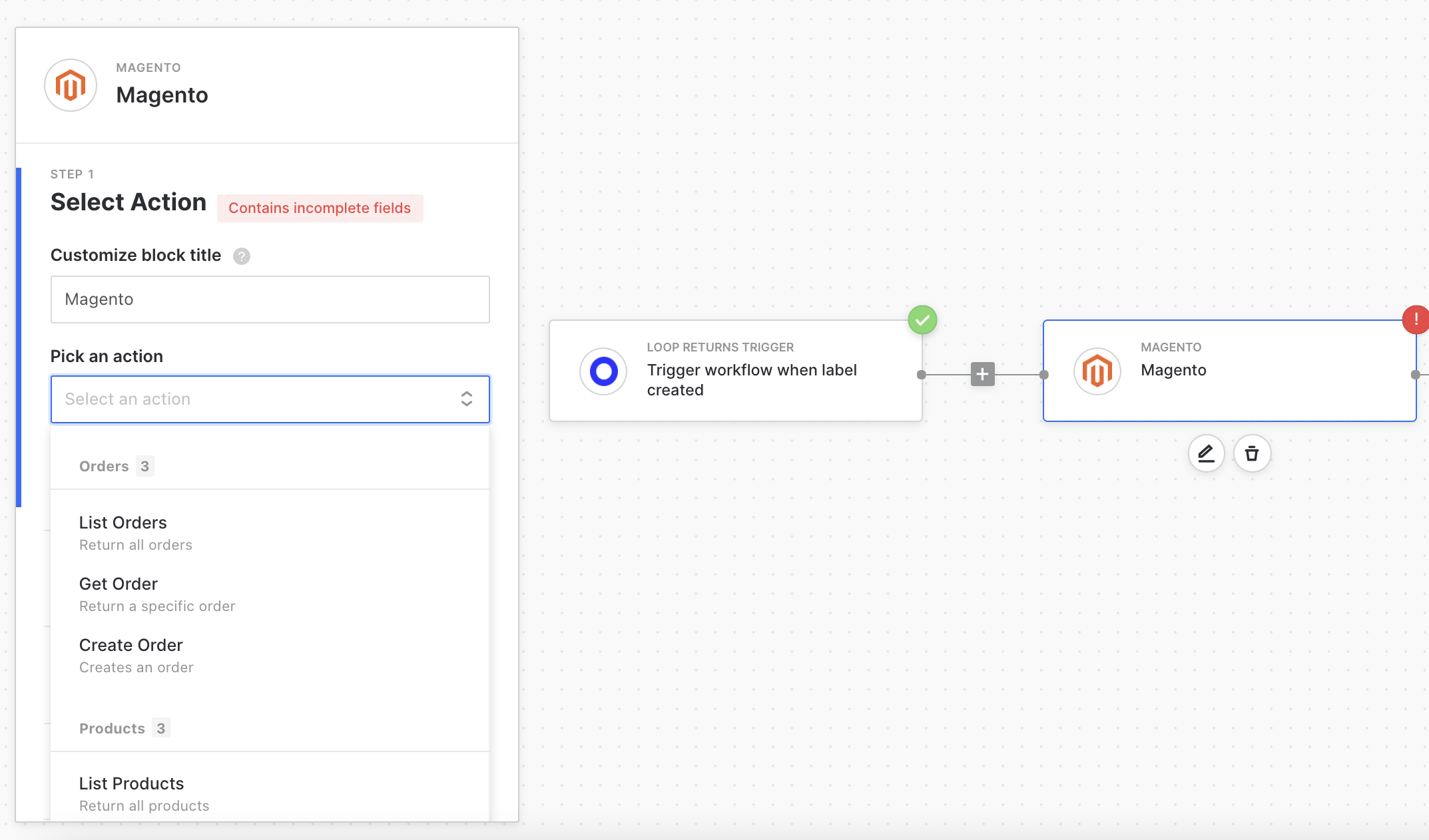
5
In the next step, you’ll need to authenticate your Magento store. More details can be found in Magento’s documentation. You’ll need to fill out the fields in your Magento block: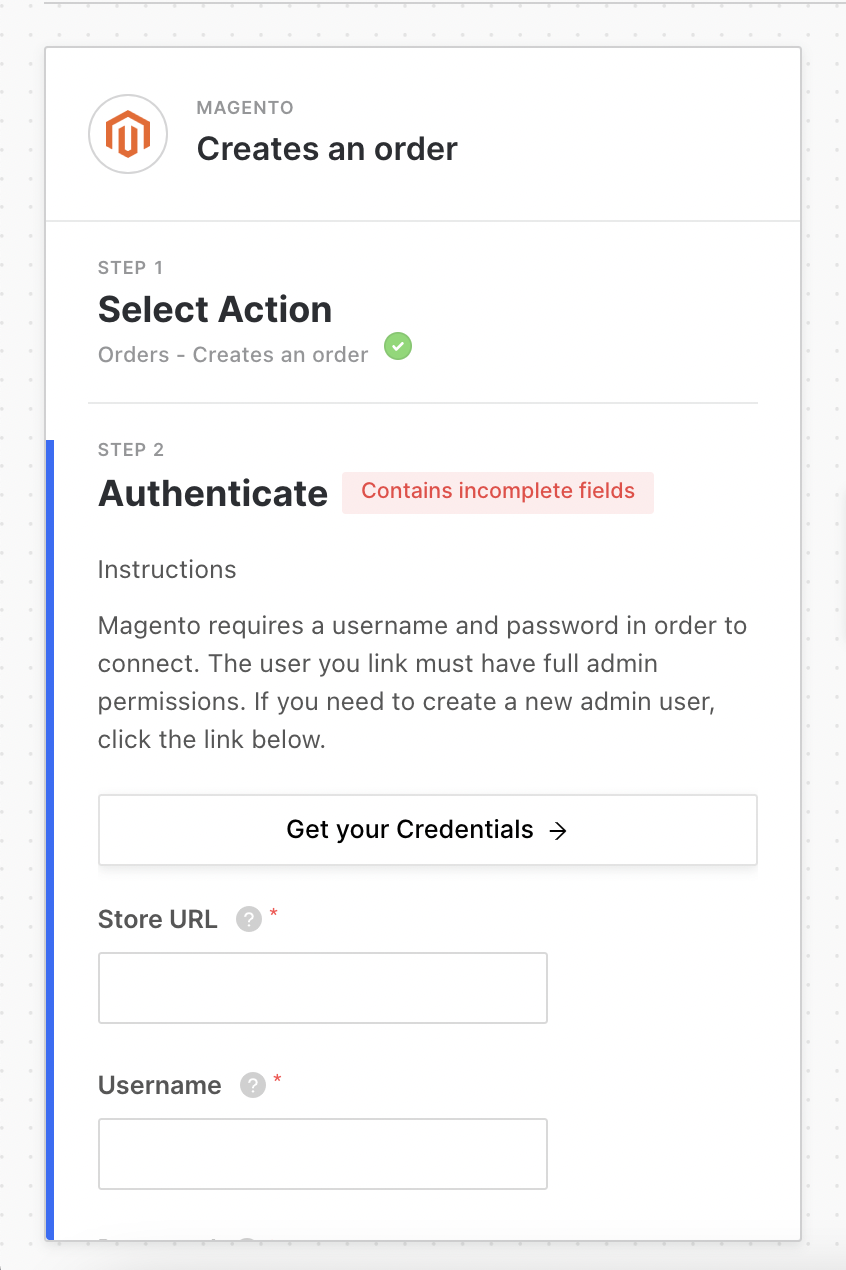
6
Proceed to the next step and fill in the required fields, and you’re done with setup for this block! You can proceed and configure the rest of the workflow as you’d like.
Authenticate via Modal
To authenticate via modal in Magento OAuth, follow these instructions:1
Enter your store URL (https://examplestore.com) into Alloy and click “Connect.”
2
In the Magento popup, navigate to System > Extensions > Integrations and click “Add New Integration.”
3
Complete the form with the following values:
- Name: Alloy
- Email: contact@runalloy.com
- Callback URL: https://api.runalloy.com/api/strategy/magento/callback
- Identity Link URL: https://app.runalloy.com/login
4
Under “Basic Settings,” click “API” and toggle Sales, Catalog, Customers, and Carts to true.
Save the integration and click “Activate.”
Save the integration and click “Activate.”
5
Finally, navigate to Stores > Services > OAuth and scroll down to “Allow OAuth Access Tokens to be used as standalone Bearer tokens,” click “Save Config,” and close the Magento window.